

Tap & play 
Section titled “Tap & play ”Settings → Players → Tap & play sets what happens when you click an item or press play on it, for every player. Only administrators see this page. The other defaults every player follows, such as crossfade and autoplay, are on Playback.
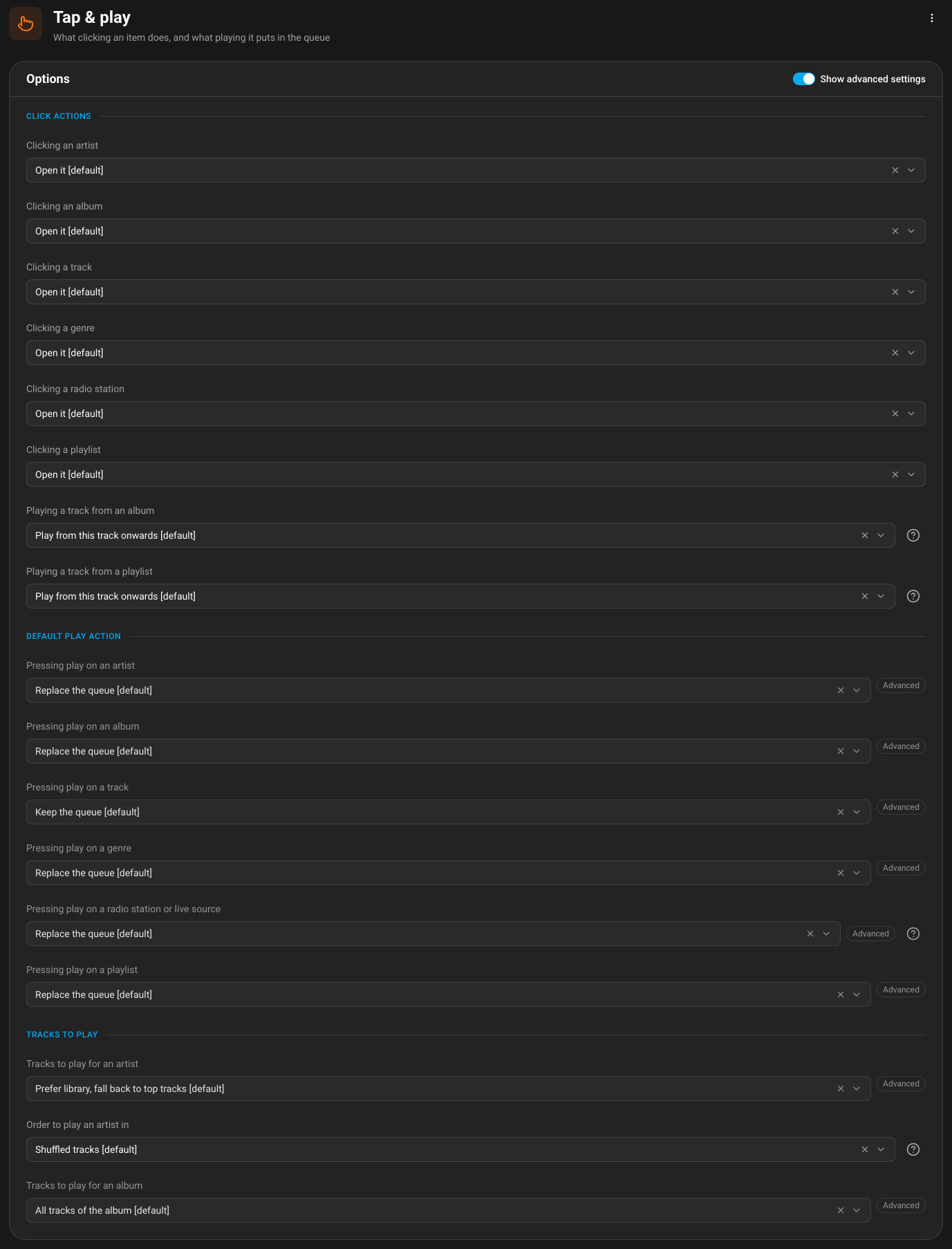
Click actions
Section titled “Click actions”One setting each for artists, albums, tracks, genres, radio stations and playlists decides what clicking one does. Open it [default] opens the item, Play it starts playing it straight away.
Two more decide what playing a track from an album or from a playlist does. Play from this track onwards [default] continues with the rest of the album or playlist, Play only this track plays just the chosen track.
Keeping or replacing the queue
Section titled “Keeping or replacing the queue”What happens to the queue when you press play on an item. There is one setting each for artists, albums, tracks, genres, playlists, and radio stations and live sources such as Spotify Connect and the AirPlay Receiver. Each either replaces the queue with the item, or plays the item straight away and keeps the rest of the queue. Tracks start out keeping the queue and everything else replacing it. These settings are only visible when the Show advanced settings toggle is on.
The play menu also lets you play an item next or add it to the end of the queue.
Which tracks play
Section titled “Which tracks play”- Artists. Which tracks play for an artist. The options are
Prefer library, fall back to top tracks [default],Artist top tracks only, only the artist’s tracks in your library, andAll tracks of the artist's albums in your library. The last one plays every track of the artist’s albums in your library, not only the tracks you saved. When it finds nothing it falls back like the default, first to the artist’s tracks in your library and then to the top tracks - Order to play an artist in. The options are
Shuffled tracks [default],Albums in random order, each album in track orderandAlbums by release year, oldest first.Shuffled tracksplays the tracks picked for the artist above in random order. The album orders play the artist’s albums in your library one after another, either picked at random or from the oldest to the newest, with albums without a year last - Albums. Which tracks play for an album: all tracks of the album, which is the default, or only the tracks in your library
Which tracks play for an artist and for an album is only visible when the Show advanced settings toggle is on. The order to play an artist in is always shown.
With either album order:
- The artist plays the albums in your library.
- Each album plays as it does on its own, following the setting for albums above.
- Each album plays once, even when more than one source has it.
- If one copy of an album can’t play, another copy plays instead. When an album plays only the tracks in your library, it plays only your saved tracks here too.
- Singles are left out, as their songs are mostly on the albums. Compilations in your library still play.
Artist top tracks onlystill plays shuffled tracks.- An artist without albums in your library plays shuffled tracks instead. For example, an artist with only singles, or one that only appears on another artist’s albums.
An album order switches shuffle off for the queue, as when you play an album. An artist without albums in your library keeps the queue’s shuffle, and so does Artist top tracks only. Asking for shuffle when you start the artist still shuffles it. The setting does not apply to authors and narrators, as they play audiobooks.
This website uses privacy-first analytics to help us improve the site. You can view all data in our public dashboard.