


Music Assistant has support for using Plex (MusicLibrary). Contributed by micha91 and maintained by anatosun
Plex is a media server you run yourself, paired with apps for phones, TVs and browsers. It indexes the music and video held on your own storage and streams it to you wherever you are.
This source connects Music Assistant to the music library on your Plex server. Everything you have already organised there becomes part of your Music Assistant library.
Features
Section titled “Features”| Subscription FREE | Yes |
| Self-Hosted Local Media | Yes |
| Media Types Supported | Artists, Albums, Tracks, Playlists, Audiobooks, Podcasts |
| Recommendations Supported | Yes |
| Lyrics Supported | No |
| Endless Mix | No |
| Artist Top Tracks Support | Yes |
| Similar Artists Support | No |
| Similar Tracks Support | Yes |
| Maximum Stream Quality | FLAC 192kHz 24 bit |
| Login Method | Password |
- Search the Plex server
- Track progress for audiobooks/podcasts across Plex clients
Configuration
Section titled “Configuration”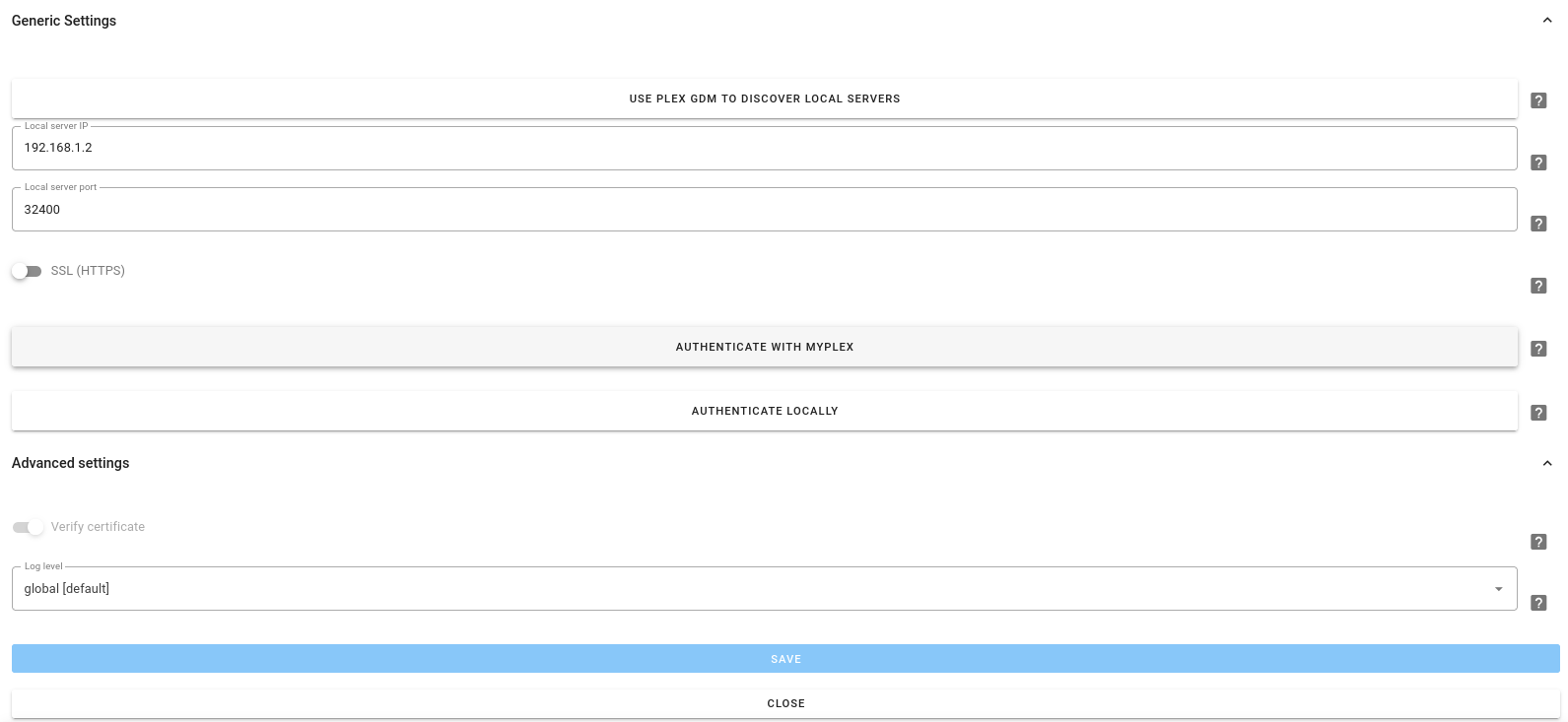
Adding Plex is a step-by-step setup.
- Plex server details. Enter the Local server IP (without any http:// prefix) and the port (usually 32400) your server is exposed on. When Music Assistant finds a Plex server on your network, it offers it so you don’t have to type the details. Switch on SSL (HTTPS) if your server needs it. Verify certificate (on by default) is shown with Show advanced settings. Select Next
- Authentication. Sign in with your Plex account (MYPLEX.TV) as you normally would for Plex, which may open a pop-up, so watch for your browser’s pop-up blocker. If you have configured Plex to allow local connections without authentication (see Plex Configuration below), you can connect locally instead
- Library. Select the library and type (Music, Audiobook, or Podcast) that you would like to use, then finish the setup
Advanced Settings
Section titled “Advanced Settings”- Extended recommendations. Enabled by default. Adds extra rows on the Discover view to include Mixes For You (the personalised mixes Plex builds from the listening history), recent library playlists and On This Day releases, matching the rows Plex’s own clients show. Changes take effect on the next recommendations refresh
Plex Configuration
Section titled “Plex Configuration”- If you want to allow Music Assistant to connect to Plex without authentication, go to your Plex configuration, Settings / Network. In the field labeled
List of IP addresses and networks that are allowed without authenter the IP address of the computer running Music Assistant, andSave Changes
Known Issues / Notes
Section titled “Known Issues / Notes”- A Plex source is always bound to a user account and a library
- If you have multiple libraries and/or library types, you need to add the Plex provider multiple times
- If you have multiple Plex accounts, which have their own playlists, you can also add them as separate provider instances
- If a Plex Media Server is running on the same host as MA, the Plex Connect plugin will fail to start because both attempt to bind to the GDM discovery port (32412). This is a known incompatibility. To resolve this it is necessary to run MA in Docker and remap the port, or run Plex and MA on separate hosts
- Podcast transcripts are not available
This website uses privacy-first analytics to help us improve the site. You can view all data in our public dashboard.