

Radio Browser 
Section titled “Radio Browser ”Music Assistant has support for RadioBrowser which allows easy addition of online radio stations to Music Assistant.
Radio Browser is a free, community-run directory of internet radio stations from around the world. Anyone can add a station and the whole database is open, which makes it the simplest way to find the stream for a station you already listen to.
This source makes the directory searchable from Music Assistant, so any station in it can be played and kept in your radio list.
Features
Section titled “Features”| Subscription FREE | Yes |
| Self-Hosted Local Media | No |
| Media Types Supported | Radio |
| Recommendations Supported | No |
| Lyrics Supported | No |
| Endless Mix | No |
| Artist Top Tracks Support | No |
| Similar Artists Support | No |
| Similar Tracks Support | No |
| Maximum Stream Quality | Varies by station |
| Login Method | None |
- Browse by country, by tag, or by popularity
Configuration
Section titled “Configuration”In the configuration, you only need to click the save button.
The Radio provider doesn’t add stations to the ‘radiostation’ tab by default.
-
In the left hand menu select Browse → RadioBrowser
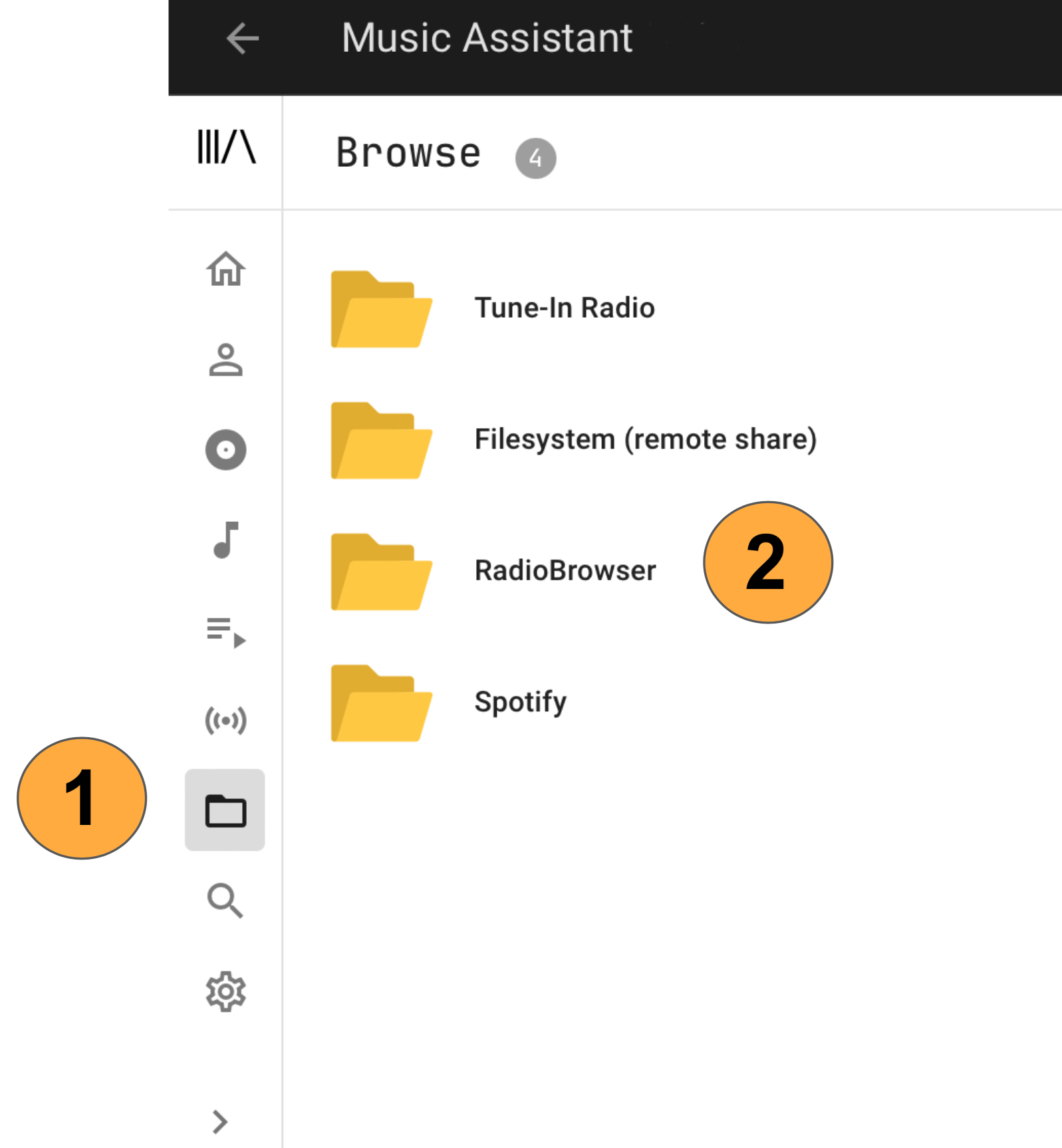
-
Then navigate to the radio-station you want to listen to
-
Click play now or add to library
After completing step 4 the station will become available in the Radio view
Known Issues / Notes
Section titled “Known Issues / Notes”When browsing the various Radio Browser categories, results are limited to the first 1000. For categories with more than 1000 stations use the search function.
This website uses privacy-first analytics to help us improve the site. You can view all data in our public dashboard.