

Apple Music 
Section titled “Apple Music ”Music Assistant has support for Apple Music! Contributed and maintained by MarvinSchenkel
Apple Music is Apple’s subscription streaming service, with a catalogue of around 100 million songs plus curated playlists and stations. It is the same library you get in the Music app on an iPhone, iPad or Mac.
This source signs Music Assistant in to your Apple Music account, so your saved artists, albums and playlists sit alongside the rest of your music, with the full catalogue there to search and browse.
NOTE
- A paid subscription is required to add this Music Source.
- Audio playback is not officially supported by Apple, use at your own risk
Features
Section titled “Features”| Subscription FREE | No |
| Self-Hosted Local Media | No |
| Media Types Supported | Artists, Albums, Tracks, Playlists, Radio |
| Recommendations Supported | Yes |
| Lyrics Supported | No |
| Endless Mix | Yes |
| Artist Top Tracks Support | Yes |
| Similar Artists Support | Yes |
| Similar Tracks Support | Yes |
| Maximum Stream Quality | AAC 256kbps |
| Login Method | OAuth or Cookie |
- Searching the Apple Music catalogue
- Browsing playlists organised in folders
- Artist radio stations available via Browse and the Discover view; live broadcast stations are not supported
- Similar tracks are supported, shown in the track detail view and available for Endless Mix
- Similar artists are supported and shown in the artist detail view
Configuration
Section titled “Configuration”Click the Authenticate with Apple Music button, then in the pop-up window sign in with your Apple ID and give Music Assistant access to your Apple Music library. Everything needed is collected for you.
IMPORTANT
For Apple to hand you back to Music Assistant afterwards, you have to be on Music Assistant’s own web address while you do this — that is http://<YOUR_MA_IP>:8095. If you have installed Music Assistant as an app, that port has to be opened first, as described in the core settings. You can close it again once Apple Music is working.
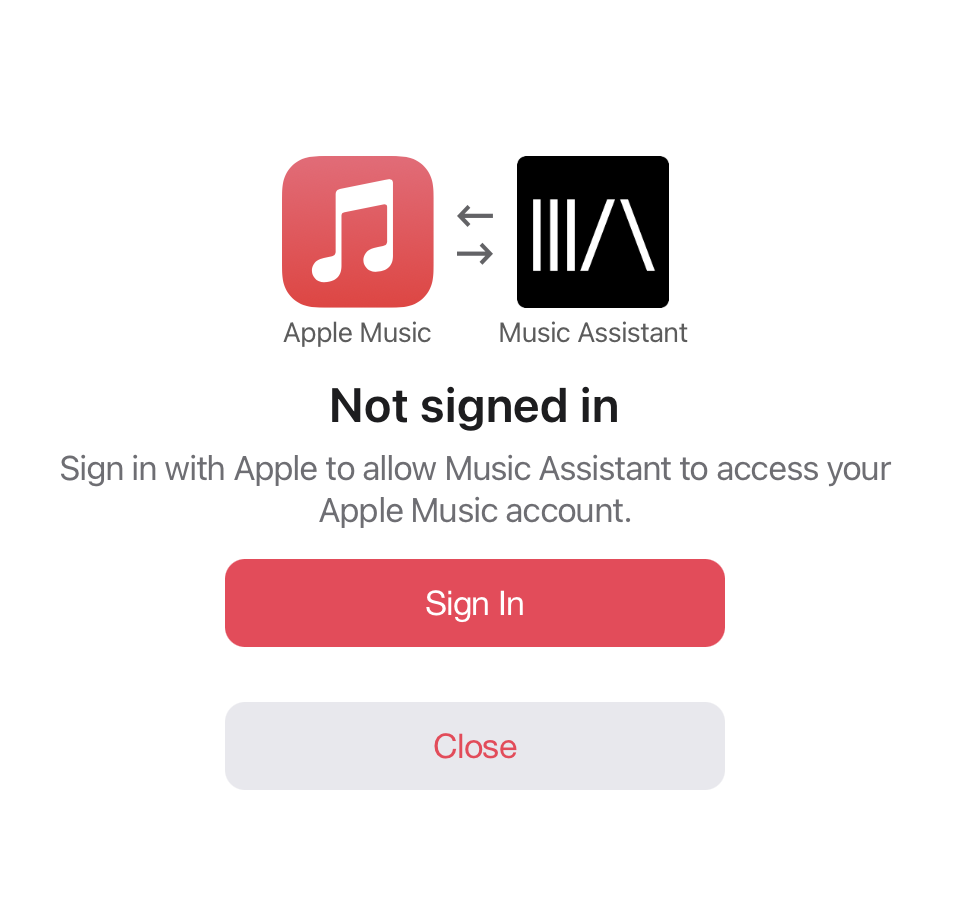
NOTE
This token will expire and needs to be re-authenticated manually after 180 days.
Settings
Section titled “Settings”- Manual Music User Token. If the normal authentication flow is unavailable then the token can be added manually here
Instructions for Manual Token Retrieval
The token needs to be retrieved through your browser. Instructions were written for Chrome:
-
Navigate to https://music.apple.com/
-
Go to View > Developer > Developer Tools. A new side window will open.
-
Click the ‘Application’ tab. You might need to expand your window or click the
>>button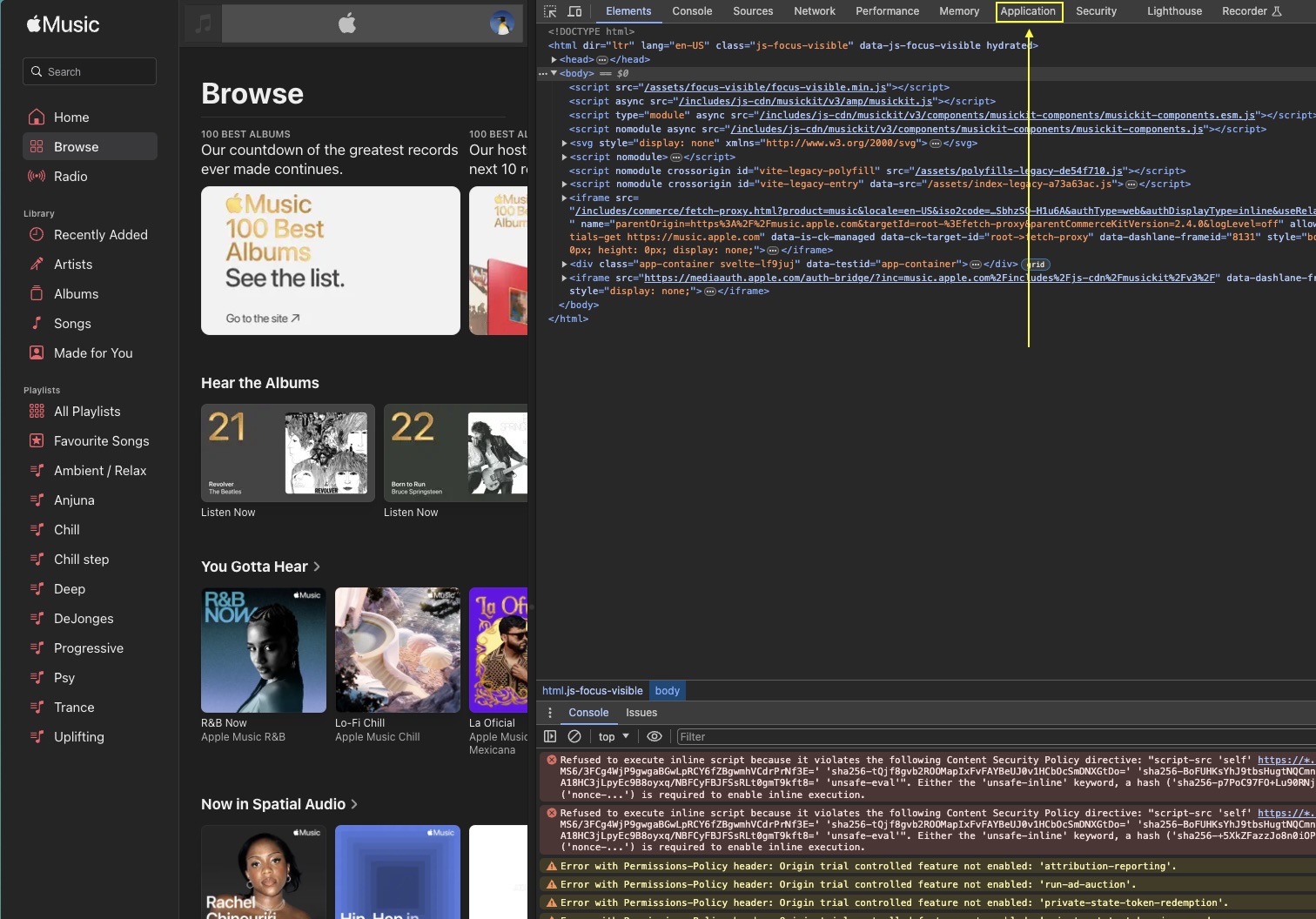
-
Under Storage > Cookies, click “https://music.apple.com” and find the entry called “media-user-token”
-
Click it and copy the cookie value and use this in Music Assistant as the ‘Music user token’
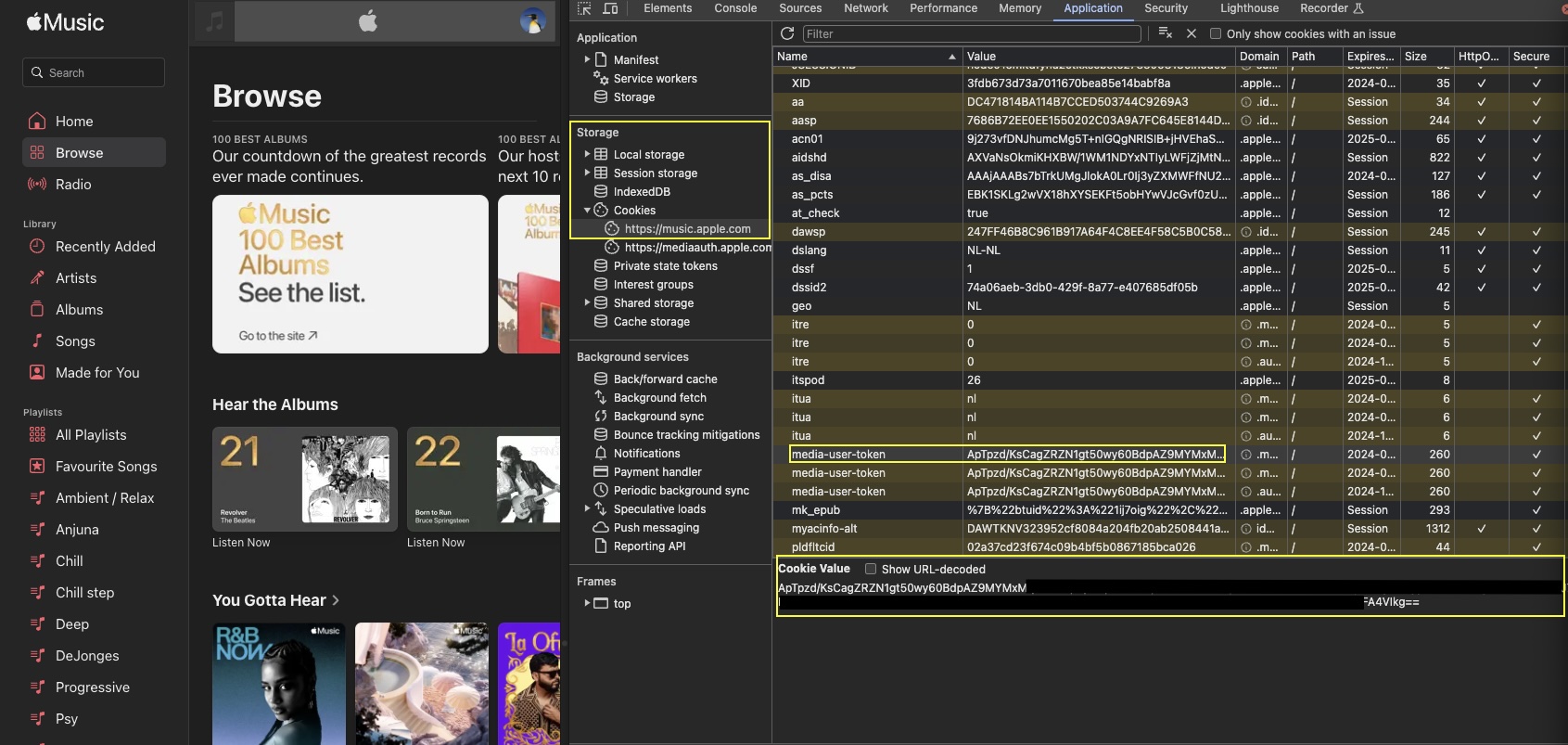
Note: Look at the “Expires / Max-Age” column while you are there. Apple Music will stop working in Music Assistant on that date, and you will need to come back and do this again.
See also the Library Import Control settings.
Known Issues / Notes
Section titled “Known Issues / Notes”- Lossless and Dolby Atmos versions are not available here. Apple protects those with its own encryption, which Music Assistant cannot open
- Marking something as a favourite is only sent back to Apple Music for albums, playlists and tracks. Doing it to an artist stays in Music Assistant
- There can be a gap of up to five seconds between tracks, because Apple provides no proper way in for other apps
- Only playlists you made yourself can be edited. Apple’s own playlists and ones shared with you are read-only
This website uses privacy-first analytics to help us improve the site. You can view all data in our public dashboard.