

Music Source Settings 
Section titled “Music Source Settings ”All Music Sources have settings which can be configured. Selecting a source in Settings → Music sources opens its own page, which will look similar to the following. See the specific music source pages for source specific settings.
- Header. The source’s name, its status and a short description. The pencil next to the name sets a custom name. The ⋮ menu holds the same actions as the ⋮ menu in the list of sources, such as disabling or removing the source. Below the description are buttons for Reconfigure (sources that have a setup flow), Documentation, which opens the source’s page in this documentation, and Known issues
- Access. Who owns the source and who else may use it. See Owner and sharing below
- Players. Only for sources that also bring players to Music Assistant. Shows how many there are and opens them in the players list
- Storage location. Only for sources that read files, such as Local files. Shows where the files are read from, and administrators can open the Storage page from here
- Library sync. Synchronize now brings the library up to date with this source straight away, instead of waiting for the next scheduled sync
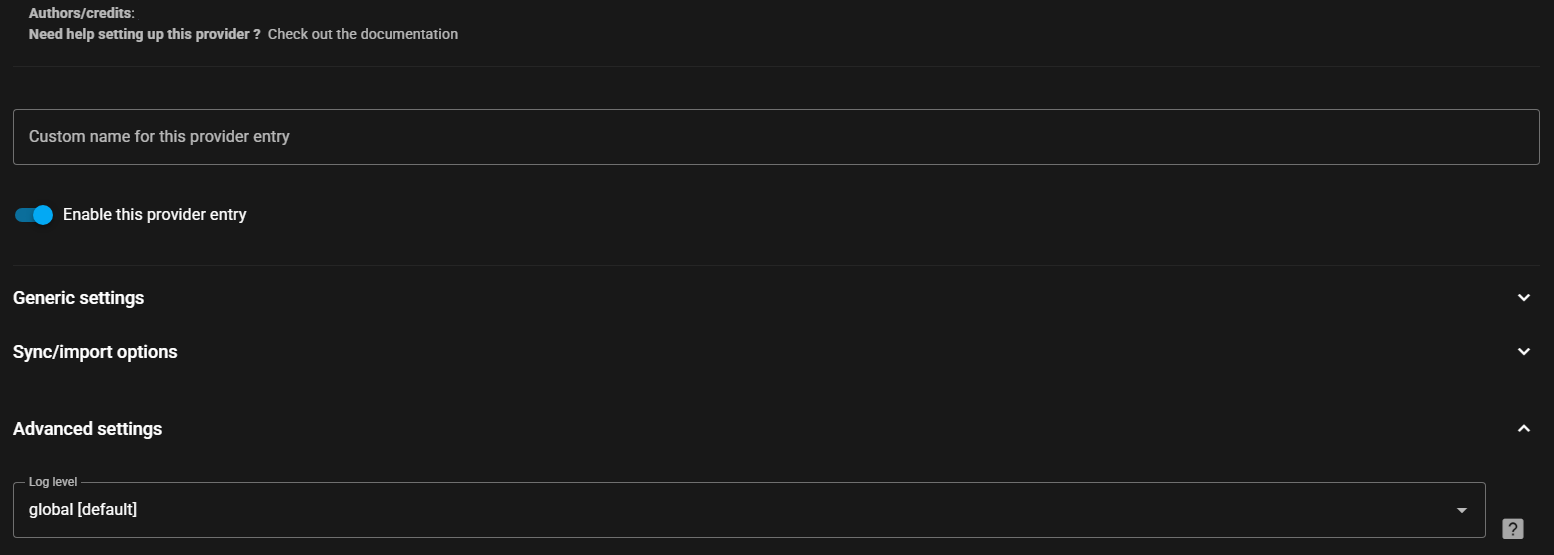
- Options. All of the settings for the source, in one card and grouped under headings. Some are only shown when the Show advanced settings toggle in the card’s header is on. The toggle is remembered for your user. Specific help for a setting is often available and is accessed by selecting this icon
 . The log level can be adjusted for all sources and is one of the advanced settings. (Do not select Verbose unless asked for by a dev as it can have an adverse performance impact)
Owner and sharing
Section titled “Owner and sharing”In Settings → Music sources, an administrator sees who owns each source and who can use it, such as Shared (no owner) · Everyone, including guests, or the owner’s name followed by who it is shared with. They can change both with Access in the source’s ⋮ menu. Users see the sources they own under Your sources, who they are sharing them with, and can change that with Sharing in the same menu. Every other source they can use, shared by someone else or without an owner, is listed under Shared with you and cannot be changed there. Personal and shared music sources explains each option.
This website uses privacy-first analytics to help us improve the site. You can view all data in our public dashboard.