MA System Settings 
The core server settings are set with typical defaults that should work for most users. However, there are settings available for each of the core controllers and these are outlined below. All controllers have a setting for the log level in the advanced section. There may be slight differences in the settings between the HA add-on and docker versions of the servers.
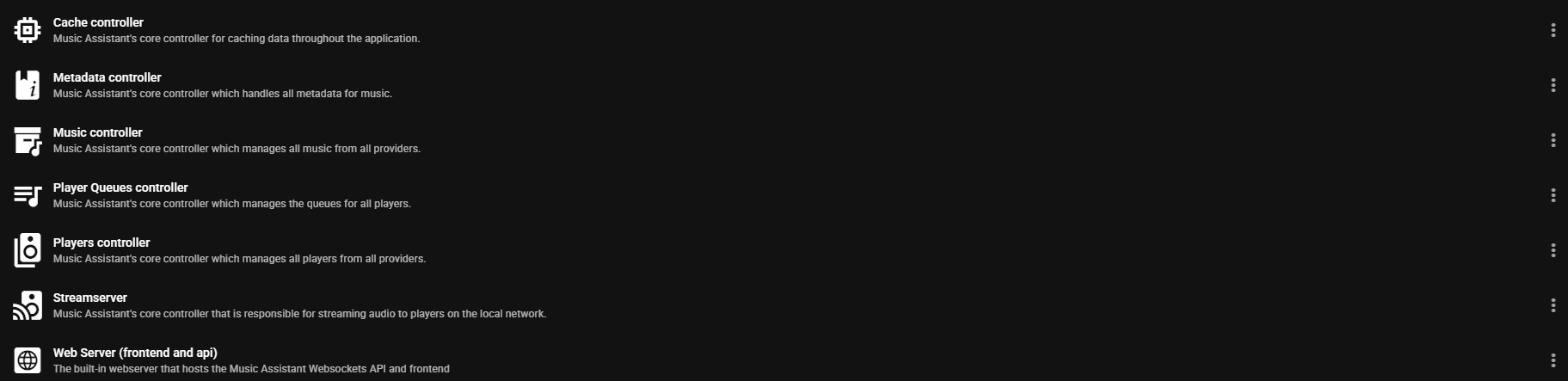
Cache
- A button is available to clear the cache used my Music Assistant. Do not routinely use this button as it increases API usage and slows down the MA experience
Metadata
- Language. Preferred language for metadata. If the selected language is unavailable then English will be used
- Enable metadata retrieval from online metadata providers. Enables the lookup of information that is not available locally. MA does not modify any existing metadata but supplements it
Music
- Advanced - Reset Library Database. Selecting this button will erase the MA database. This is a destructive irreversible action! This should only be used if database corruption is confirmed. All library items including playlists stored in the database will be lost and will need to be recreated. A rescan of the music providers will rebuild the database with the information contained on those providers. Do not use this routinely. For problems with individual items use the REMOVE FROM LIBRARY menu option
Players
- No settings are currently available beyond the log level
Player Queues
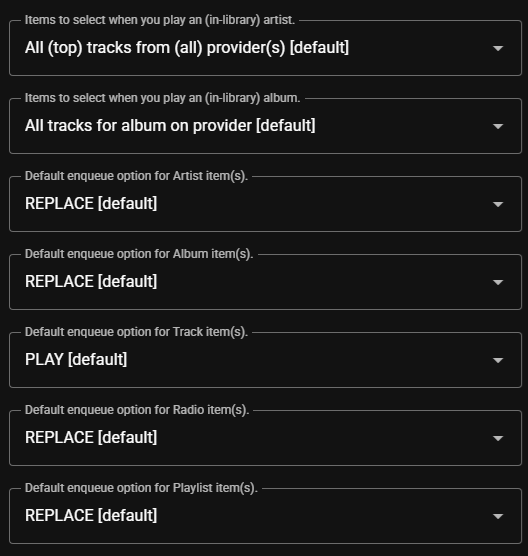
The behaviour when playing or enqueuing items is determined by the settings in this section.
Streams
All settings in this section should be considered advanced and will not need to be adjusted in the majority of cases. Users with complicated network setups will find settings in this section that will be useful. If MA appears to be setup correctly but no playback occurs then check the settings in this section.
Streamserver Audio Settings
Allow (in-memory) buffering of (track) audio. By default, Music Assistant tries to be as resource efficient as possible when streaming audio, especially considering low-end devices such as Raspberry Pis. This means that audio buffering is disabled by default to reduce memory usage. Enabling this option allows for in-memory buffering of audio, which (massively) improves playback (and seeking) performance but it comes at the cost of increased memory usage. If you run Music Assistant on a capable device with enough memory, enabling this option is strongly recommended.
This section contains settings which affect the Volume Normalization functionality of MA. This functionality is enabled by default and settings are also available on an individual player basis. Extensive online help for these settings is available by selecting the  icon in the settings UI for each option.

Streamserver Advanced Settings
- The Published IP address and TCP Port are normally populated automatically. If there are issues with playback then confirm the IP address shown is reachable by the players on the local network. The port must be available
-
Bind to IP/interface. Use in complex network setups to start the streamserver on a specific interface
-
SmartFades Log Level. Specific log level for the Smart Fades mixer and analyzer
Webserver
- Allow User Self-Registration. Allows users to create accounts via Home Assistant OAuth
- Base URL. The (base) URL to reach this webserver on the network. Override this in advanced scenarios where, for example, you are running the webserver behind a reverse proxy
- TCP Port. The port that the webserver is to be run on. If this setting is changed then ensure the base URL port is changed as well
- Enable SSL/TLS. When enabled two additional fields are revealed which is where the
SSL CertificateandSSL Private Keyare added (both must be in PEM format) - Advanced-Bind to IP/Interface. Start the webserver on this specific interface. For further information see the help for this setting in the MA UI
Server Logging
This opens a view where the tail of the Music Assistant log can be seen or the full log can be downloaded.